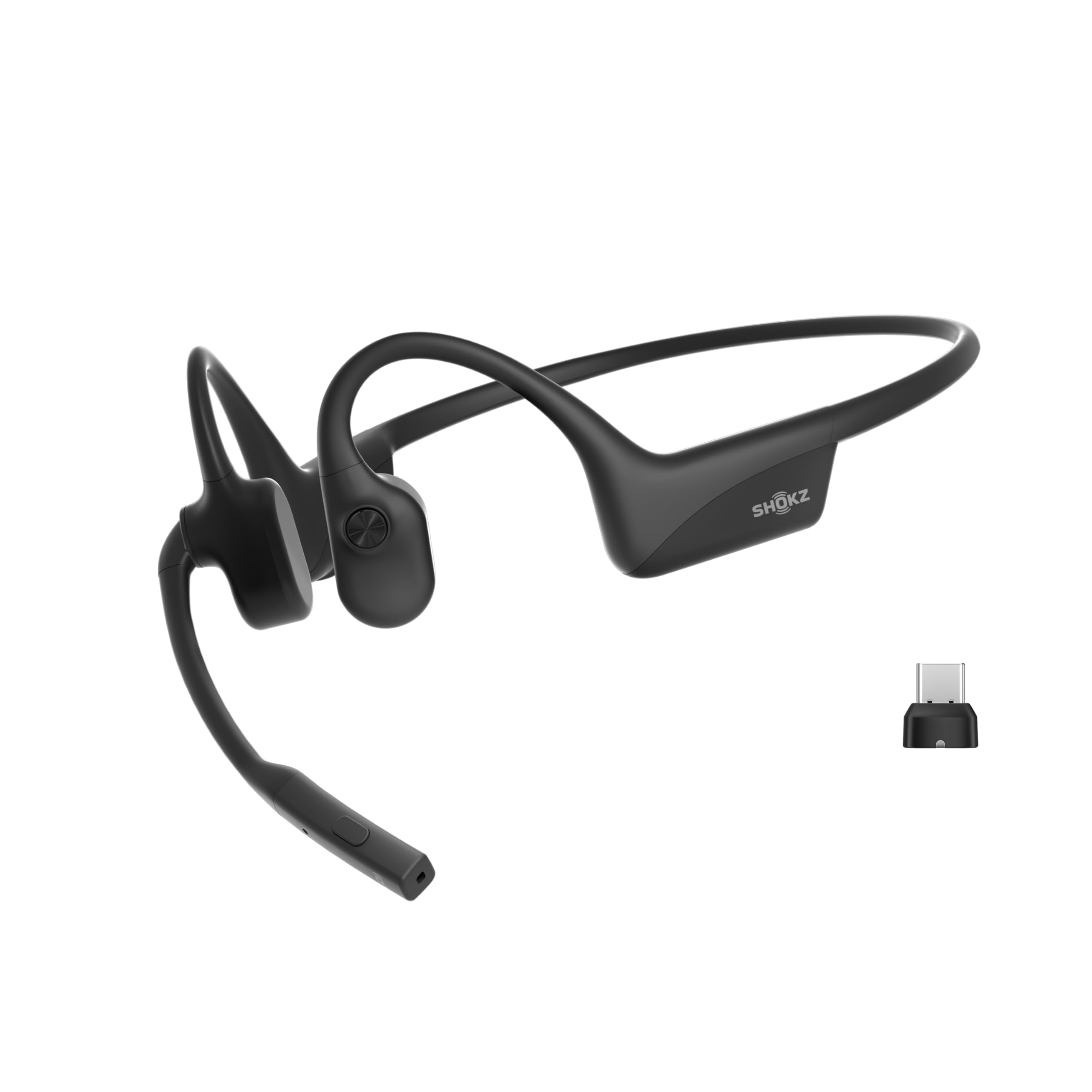
The SHOKZ OpenComm2 UC pairs an open-ear design with a noise-canceling boom microphone and a USB-C wireless adapter for computer-focused calls.
This SHOKZ OpenComm2 UC Open-Ear Headset review looks at its comfort-led design, call controls, charging claims, and the tradeoffs to consider before choosing it.
OpenComm2 UC Review Summary
The quick verdict
500+ ratings
Read Amazon ReviewsSHOKZ OpenComm2 UC
A good fit for computer users who want open-ear comfort, a boom mic, and a USB-C wireless adapter for calls and everyday audio.
- Open-ear bone-conduction headset with SHOKZ 7th-generation Bone Conduction Technology and PremiumPitch 2.0 audio.
- Noise-canceling boom microphone with DSP technology for calls.
- Loop120 wireless adapter for PC and Mac, with Zoom certification.
- Flexible frame, soft silicone finish, and a listed weight of 35 grams.

Pros
- Open-ear construction avoids placing earbuds inside the ear canal.
- Boom microphone and DSP noise cancellation are purpose-built for voice calls.
Consider before buying
- The open-ear design does not provide the isolation some buyers want in noisy rooms or during focused listening.
- Talk time and listening time are different; buyers should compare the runtime that matches their usual use.
Read the full review summary
The OpenComm2 UC is built around the needs of people who spend time on calls at a computer but prefer not to wear in-ear or sealed headphones.
Its 35-gram frame, flexible construction, physical controls, and included Loop120 adapter point toward a practical work headset rather than a general-purpose fashion or travel model.
Its strongest fit is someone who wants to keep their ears open, take calls through a boom microphone, and use a headset with PC or Mac.
Battery figures are up to 16 hours of talk time or 8 hours of listening per charge, with a quick-charge claim of 2 hours of talk time from 5 minutes.
Those are useful planning figures, but the design’s open-ear presentation and work-oriented emphasis may not suit buyers seeking immersive listening or noise isolation.
The buying factors
OpenComm2 UC Scorecard
Editorial scores reflect listed features and buyer fit; they are not laboratory measurements or customer ratings.
Computer-call focus
The Loop120 wireless adapter and Zoom certification make the headset especially oriented toward computer meetings.
Wearability
A 35-gram weight and flexible frame are promising for extended wear, though comfort remains individual.
Microphone features
A boom mic with noise-canceling DSP is designed to emphasize calls and voice pickup.
Open-ear awareness
The open-ear approach leaves the ear canals uncovered, which can suit people who want to remain aware of nearby activity.
Battery flexibility
The stated talk and listening runtimes differ, with a short-charge boost intended to help during busy workdays.
Audio versatility
Stereo audio and playback controls cover listening as well as calls, but the product’s main emphasis is communication.
Key Features and Specifications of OpenComm2 UC
- Open-ear bone-conduction headset with SHOKZ 7th-generation Bone Conduction Technology and PremiumPitch 2.0 audio.
- Noise-canceling boom microphone with DSP technology for calls.
- Loop120 wireless adapter for PC and Mac, with Zoom certification.
- Flexible frame, soft silicone finish, and a listed weight of 35 grams.
- IP55 water-resistance rating.
- Physical controls for volume, mute and unmute, and play or pause.
- Up to 16 hours of talk time or 8 hours of listening per charge; a 5-minute quick charge is described as providing up to 2 hours of talk time.
Pros and Cons of OpenComm2 UC
Pros
- Open-ear construction avoids placing earbuds inside the ear canal.
- Boom microphone and DSP noise cancellation are purpose-built for voice calls.
- The included Loop120 adapter and Zoom certification target computer-based work.
- Physical mute, volume, and playback controls can be useful during meetings.
- The stated talk time and quick-charge feature offer flexibility for a call-heavy routine.
Consider before buying
- The open-ear design does not provide the isolation some buyers want in noisy rooms or during focused listening.
- Talk time and listening time are different; buyers should compare the runtime that matches their usual use.
- The computer-first adapter and Zoom certification may matter less to buyers who mainly want a simple phone or sports headset.
Who Should Buy OpenComm2 UC?
Good fit
Consider the OpenComm2 UC if your headset is primarily a work tool.
The combination of a boom microphone, physical mute control, and Loop120 adapter is aimed at reducing friction during computer meetings, while the open-ear format can feel less enclosing than conventional over-ear or in-ear designs.
It is also worth considering if you split the day between calls and audio playback.
The stated 16-hour talk maximum exceeds the 8-hour listening figure, so use the figure that reflects your routine rather than assuming one runtime applies to every activity.
Before buying, confirm that your computer setup can use the included USB-C adapter and that an open-ear fit works for your environment. If you often need quiet isolation, compare the design against a closed headset before deciding.
Who should skip it
Skip it if you need strong passive isolation from nearby conversation, office noise, or travel sound; an open-ear design is not intended to seal the ear.
Look elsewhere if sports-focused ruggedness or music-first listening is the main priority. Its listed IP55 rating and computer-call features may not align as closely with those needs.
How the OpenComm2 UC Fits a Workday
Open-ear comfort and awareness
The flexible frame and 35-gram weight suggest a design intended for regular wear without placing a tip inside the ear.
That can be appealing during long stretches of calls or when you want to hear the room around you. Fit is personal, so buyers who are sensitive to wraparound frames should consider how that style feels before committing.
A call setup aimed at computers
The boom microphone, DSP noise-canceling feature, Loop120 adapter, and Zoom certification form the clearest case for this headset. They make it a more purposeful choice for computer calls than a basic listening headset.
If your meeting software or computer connection is unusual, check compatibility with your own setup rather than relying on certification alone.
Controls during meetings
Physical buttons cover volume, mute and unmute, and playback. That gives common actions a direct control surface on the headset, which may be convenient when your hands are on a keyboard or you are moving between calls.
Buyers who prefer touch gestures or app-based customization may want to consider whether these listed controls match their habits.
Battery expectations
The headset lists up to 16 hours for talking and up to 8 hours for listening, plus a 5-minute charge for up to 2 hours of talk time.
This makes the model attractive for call-heavy use, but the separate figures matter: a listening-focused day should be planned around the shorter stated maximum. Charging needs can also depend on how often you use calls and playback.
Alternatives to OpenComm2 UC
Dual-driver alternative
9,000+ ratings
Read Amazon ReviewsSHOKZ OpenRun Pro 2
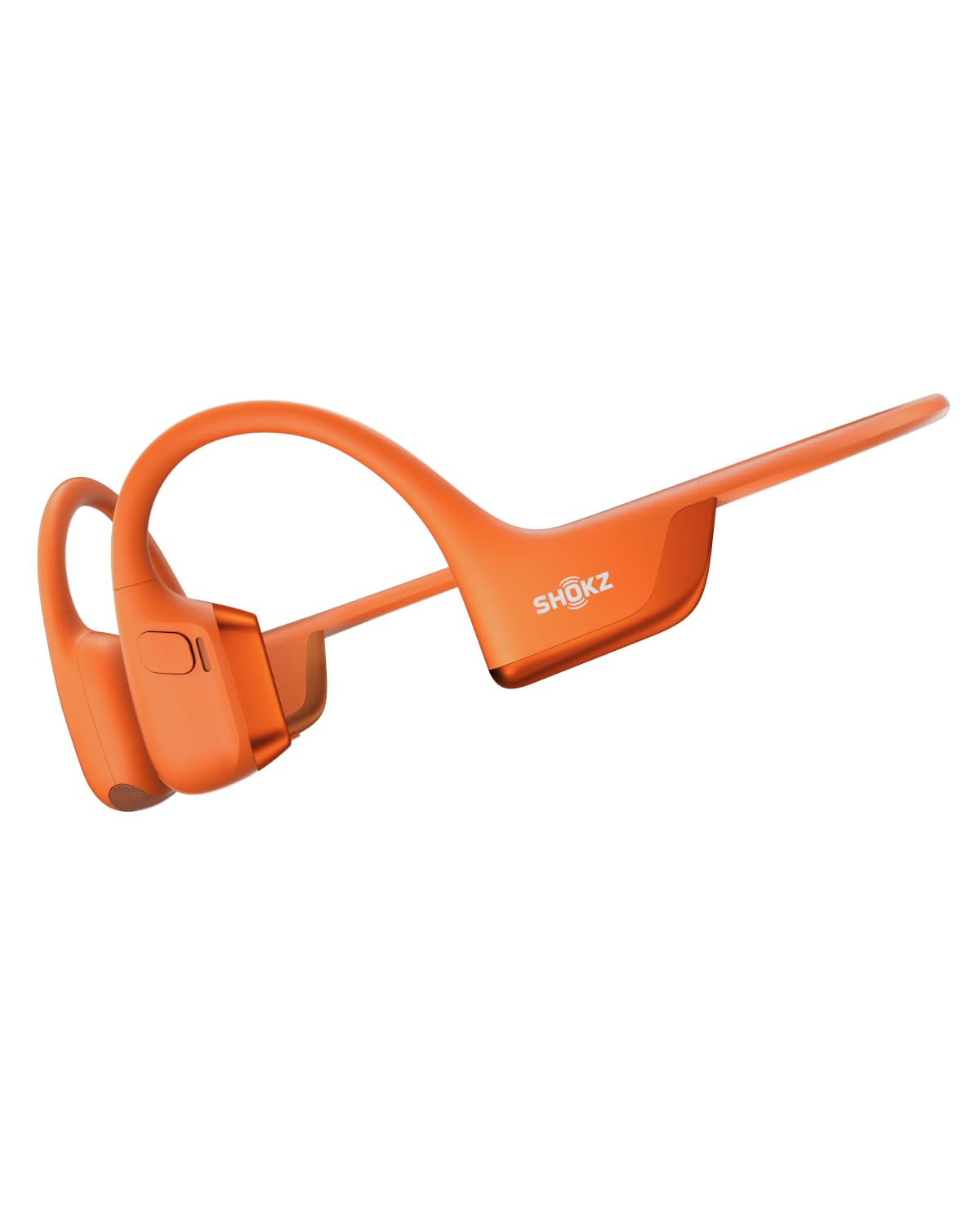
Choose the OpenComm2 UC for its computer-call setup and boom mic. Consider the OpenRun Pro 2 if workout listening, EQ options, and its stated audio features are more central to your routine.
- The OpenRun Pro 2 is described as a sports-oriented open-ear headset with dual drivers, dedicated EQ modes, a 12-hour audio figure, and wind-resistant microphones.
- The OpenComm2 UC focuses on computer calls, with a boom microphone, Loop120 adapter, and Zoom certification.
Open-Ear Headphones alternative
2,000+ ratings
Read Amazon ReviewsJLab Flex Open Ear Earbuds
The OpenComm2 UC is the more direct fit for computer meetings where a boom mic and included adapter are useful.
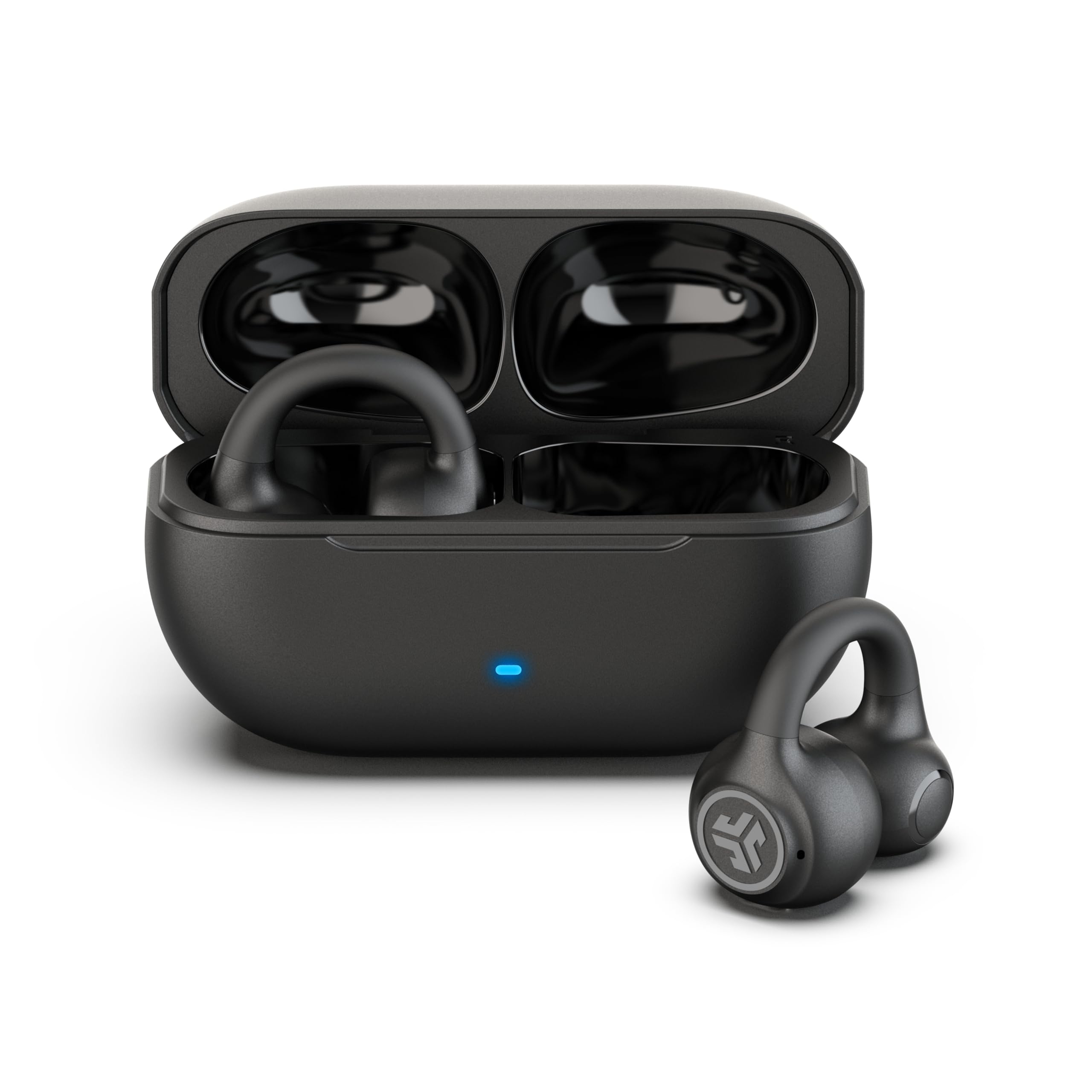
The JLab Flex may suit buyers who prefer a clip-on earbud form and want app EQ or two-device Bluetooth multipoint.
- The JLab Flex uses clip-on cuffs with speakers outside the ear canal, Bluetooth multipoint for two devices, app EQ, and a MEMS noise-canceling microphone.
- The OpenComm2 UC uses a flexible frame and boom mic, and is designed around PC and Mac use with a USB-C adapter.
Is OpenComm2 UC Worth It?
The SHOKZ OpenComm2 UC is worth considering as a computer-first headset for people who value open-ear wear, a boom microphone, physical call controls, and an included USB-C adapter.
Its feature mix is unusually focused on work calls, while still allowing listening between meetings.
Choose it if those work features match your setup and the listed runtime fits your day.
Pass if you need an isolating headset or want a model centered on sports or music; the OpenComm2 UC’s open design and call-oriented controls are its defining tradeoffs.
Your review at a glance
500+ ratings
Read Amazon ReviewsSHOKZ OpenComm2 UC
A good fit for computer users who want open-ear comfort, a boom mic, and a USB-C wireless adapter for calls and everyday audio.
- Open-ear bone-conduction headset with SHOKZ 7th-generation Bone Conduction Technology and PremiumPitch 2.0 audio.
- Noise-canceling boom microphone with DSP technology for calls.
- Loop120 wireless adapter for PC and Mac, with Zoom certification.
- Flexible frame, soft silicone finish, and a listed weight of 35 grams.